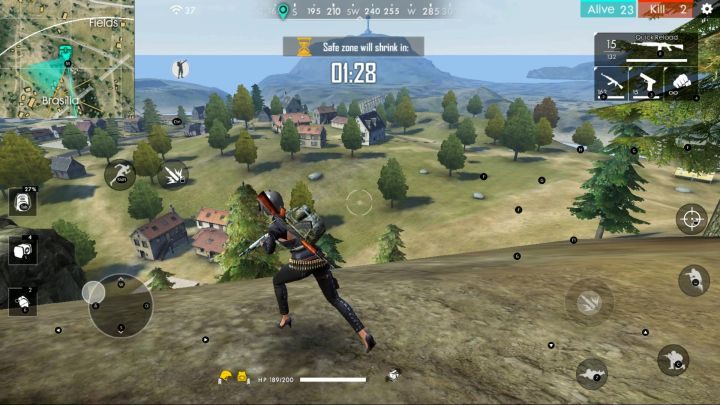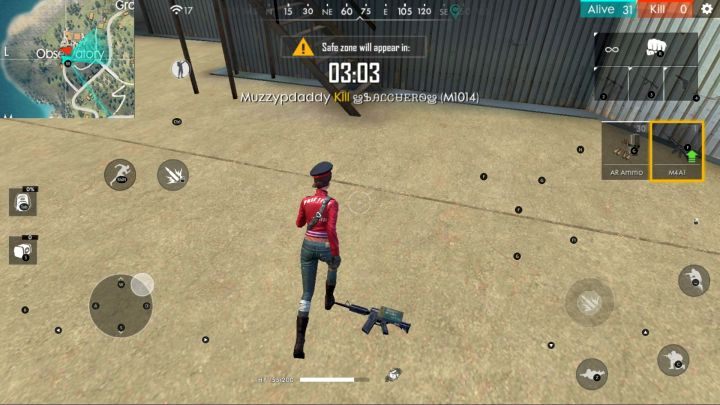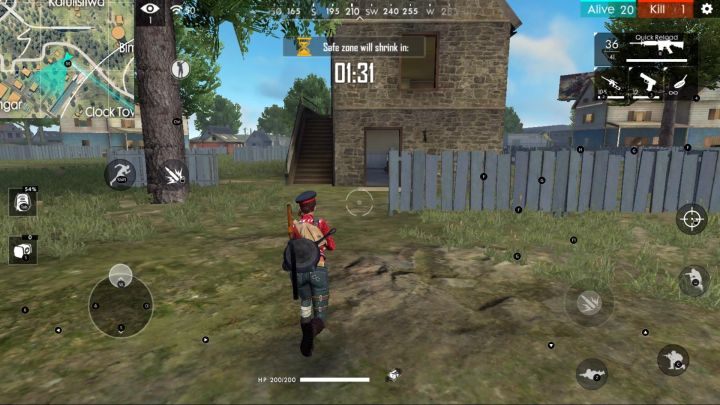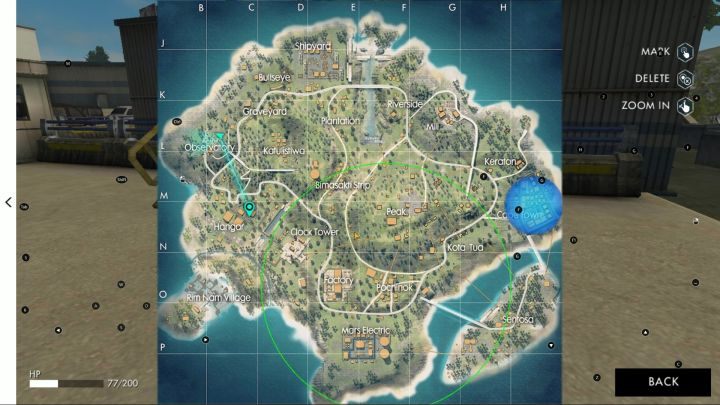
As befits a free-to-play game, Garena Free Fire has a special microtransactions system. Fortunately, they are not intrusive in any way and do not give a real advantage on the battlefield. A large part of the items can be obtained without spending a single $. In this chapter we have described the Luck Royale system, all its features and advice on how to get items through it without spending real cash.

Diamond Royale

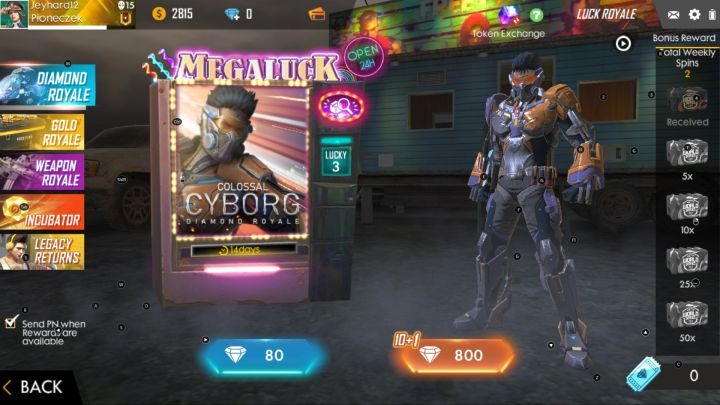
One of the components of Luck Royale, is the Diamond Royale. - Luck Royale | Garena Free Fire - Basics - Garena Free Fire Guide
One of the components of Luck Royale, is the Diamond Royale.

Diamond Royale is the first of five components of Luck Royale. It allows you to obtain cosmetic items - character skins or items that change the appearance of chests and parachute. Also, you can get from it some boosters which increase the amount of received experience or gold. The prizes at Diamond Royale are won in a lottery - to take part in it, you will have to spend real cash to buy diamonds.

Gold Royale
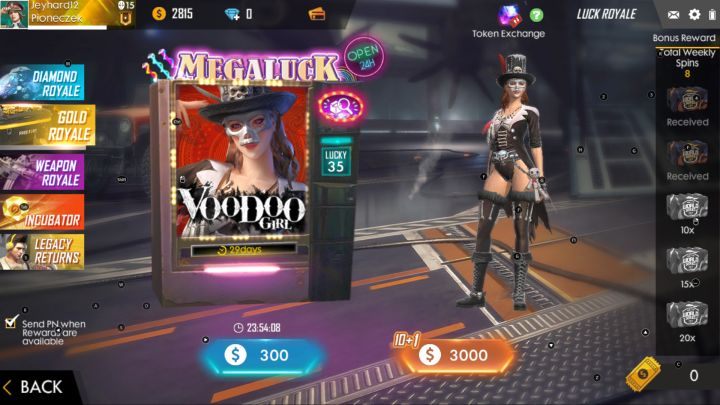
Gold Royale. - Luck Royale | Garena Free Fire - Basics - Garena Free Fire Guide
Gold Royale.

The second component of Luck Royale is Gold Royale. This is the only feature available that can be used with both gold and diamonds, so you don't have to spend a penny here. The Gold Royale system works in the same way as the Diamond Royale - it allows you to draw one of the available prizes, such as unique character skins, cosmetic and weapon skins or items that can be used on the battlefield.

Note - in the Gold Royale mode you can draw an item completely free of charge once a day. In addition, it is quite easy to get special coupons that allow you to get more draws in the lottery - you can get them by completing daytime challenges and simply taking part in regular competitions.

Weapon Royale
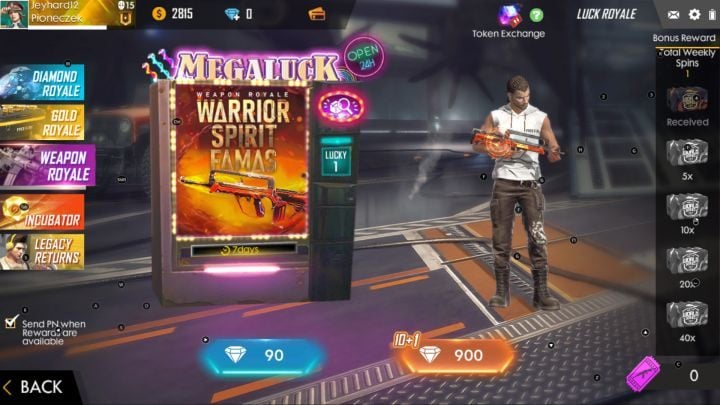
Weapon Royale. - Luck Royale | Garena Free Fire - Basics - Garena Free Fire Guide
Weapon Royale.

Weapon Royale resembles the two previous components of Luck Royale, but with it you will be able to obtain various skins and weapon upgrades, as well as experience and gold boosters. Here you have to spend real cash (to buy diamonds) - winning tickets for free draws is almost a miracle.

Incubator
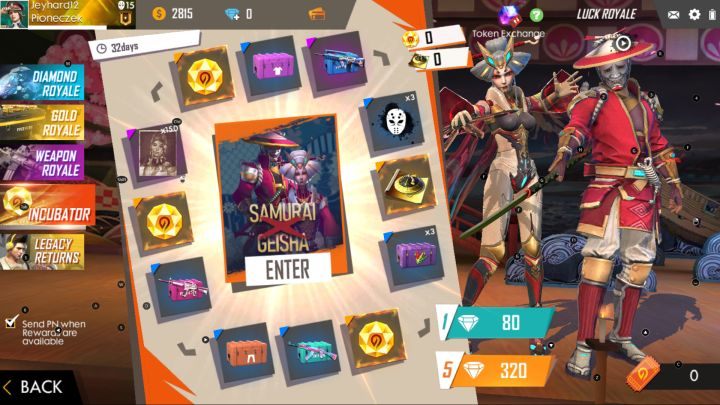
Incubator. - Luck Royale | Garena Free Fire - Basics - Garena Free Fire Guide
Incubator.

Incubator allows you to obtain the most valuable and expensive cosmetic items in the game. However, in order to use it, you must have items that you can get in other Luck Royale modes - or, of course, you can buy them with real cash.

Legacy Returns
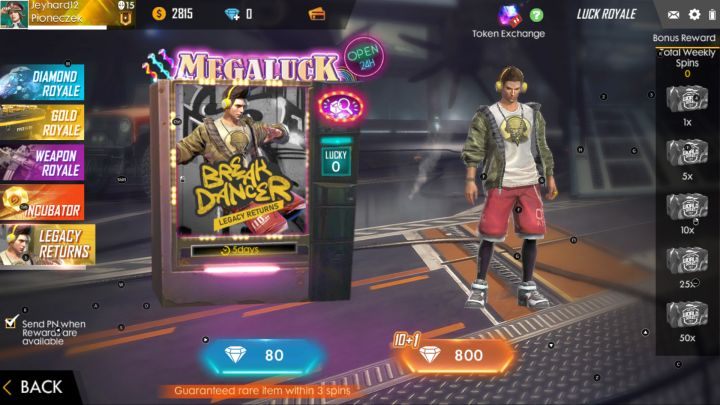
Legacy Returns. - Luck Royale | Garena Free Fire - Basics - Garena Free Fire Guide
Legacy Returns.

Another component of the Luck Royale, in which you can take part practically only by using diamonds (therefore you have to spend real cash). In this tab you can obtain various cosmetic items, including special Magic Cubes, thanks to which you can buy unique character skins in the game shop.

Tips

Finally, a few tips on the mechanics of Luck Royale, namely:

  1. Don't bother yourself with Luck Royale. If you don't want to obtain more valuable cosmetic items, you can skip on this lottery - apart from these cosmetic items, you won't gain any real advantage over other players.
  2. You don't have to spend real cash to use Luck Royale. Some of the above lotteries - mainly Gold Royale, slightly less Diamond Royale and Weapon Royale - can be used for free after collecting the right coupon. These coupons are earned during gameplay, character development and daytime challenges.
  3. Focus mainly on Gold Royale. Once a day you can draw an item in this lottery completely free of charge. It's very easy to get coupons for the next free draw, and the paid draw costs only 300 gold.
Selecting a weapon is an individual thing in Garena Free Fire - everyone has their own weapon preferences. However, there are several weapons in the game, which definitely are worth obtaining due to their effectiveness - we are going to discuss them in detail in this chapter of our guide.

What kind of weapons should I use?

During your gameplay, you will get an opportunity to collect new items almost every step of the way. - What kind of weapons to use in Garena Free Fire? - FAQ - Garena Free Fire Guide
During your gameplay, you will get an opportunity to collect new items almost every step of the way.

The game offers more than 30 weapons divided into several categories, such as Assault Rifles, SMGs, Sniper Rifles, LMGs, as well as melee weapons. Among them, the following weapons deserve a lot of attention:

  1. M4A1 - an assault rifle well-known by all fans of the Counter Strike series. It has some of the most balanced stats of all weapons in the game, so it's perfect for combat at any distance.
  2. AK - classic Russian rifle deals more damage than the M4A1 described above, but the weapon has a much higher recoil. It is worth to use it, but first you have to learn how to shoot from it.
  3. SCAR - a great assault rifle for short and medium distances, but it loses its effectiveness as the distance of the target increases.
  4. GROZA - an assault rifle that deals the highest amount of damage in this weapon category. The biggest downside is that it can only be found in an airdrop supply crate - but it is always worth to equip yourself with this powerful weapon.
  5. VSS - a combination of a sniper rifle and a machine gun. It doesn't deal as heavy damage as full-fledged sniper rifles, but it's still effective enough to kill an enemy with a few shots. Easy access to ammo is one of its main advantages.
  6. M14 - a combination of an assault rifle and a sniper rifle. It deals massive damage over long distances and has a high accuracy, but on the other hand, it has a lower rate of fire. Therefore it is recommended for long-distance combat. A huge advantage is that it uses standard assault rifle ammo that is easy to obtain.
  7. KAR98k - a basic sniper rifle, which is quite easy to find. If you want to use it, aim at your opponent's head - a single headshot will kill your enemy. Otherwise, you will have to hit the target 3-5 times to eliminate it, giving the enemy a chance to react.
  8. Dragunov - another sniper rifle and one of the best weapons in the game. Dragunov can only be obtained from drop supply crate, but it is worth to get it at all costs - it deals massive damage and has a higher rate of fire than other sniper rifles available in the game.
  9. AWM - without a doubt this is the best weapon in the game. The AWM allows player to take out 3/4 of the enemy's health bar with a single shot. If you manage to do a headshot then your enemy will instantly die - even a 3rd level helmet can't protect him/her from this incredible amount of damage. This weapon can only be looted from a airdrop supply crate and it has a very low fire rate. This makes it pretty useless for close-range combat.

Tips

Finally, a set of tips that will make it easier for you to choose the right weapon, namely:

  1. Try out all weapons available in the game. You never know what kind of weapon you'll use to kill other players, especially during the first few minutes of the battle - if you get used to a specific type of weapon then it may have a positive impact on your success in the battle.
  2. Regardless of your preferences, use weapons that allow you to fight at any distance. Even if you are a natural born sniper and prefer to eliminate enemies from the other end of the map, sooner or later you will be forced to fight at a closer range. So it's worth having a weapon for long and short distance combat - a combination of assault rifle and machine gun or sniper rifle and machine gun / assault rifle is the best choice.
  3. Pay attention to weapon mods lying on the ground. Increasing the weapon's magazine, barrel upgrade (which increases the range of the weapon) or the possibility of installing a silencer can significantly increase the effectiveness of the weapon you are currently using. But you don't have to worry about matching modifications - just move over them and they will be collected, as long as you have a weapon suitable to use them.
Garena Free Fire is typical game of the Battle Royale genre, so there is practically no way to avoid combat with other players. Due to the randomness of acquired equipment and differences in skills, not all players may have equal chances on the battlefield. For this reason it is worth to try to surprise the enemy. We describe this issue in this chapter of our guide.

Always observe the local area

Before you start running to a new building, check if there are any enemies in the area. - How to surprise your enemy in Garena Free Fire? - FAQ - Garena Free Fire Guide
Before you start running to a new building, check if there are any enemies in the area.

Running between buildings can be tempting, as it gives you the chance to get your favorite weapons or high-level armor and helmet that make the gameplay much easier. However, any such action increases the chance that other player (who's currently hiding somewhere in the vicinity) may suddenly jump out and open fire. Before you get to a new building a few dozen yards (or meters) away, take a few seconds to quickly explore the area. Pay attention to the movement of nearby players and whether anyone has just run into the building next door.

Monitor the sounds in the area

Sounds and noises, and their proper use in Garena Free Fire is as important as shooting skills or the ability of obtaining useful equipment. Noises will allow you to locate nearby players more easily and prepare for a battle with them. While traveling through the map it is worth to move in crouched position and listen to the movement and actions of other players. Use headphones while playing - even the cheapest simplest headphones will let you determine which direction the sound is coming from, and that is almost impossible when you're using standard smartphone / tablet speakers.

Note - remember that other players will also try to locate you by hearing any noises, so try to move quietly and shoot only when it's necessary.

Use viewpoints

Any hill will be perfect for exploring the area. - How to surprise your enemy in Garena Free Fire? - FAQ - Garena Free Fire Guide
Any hill will be perfect for exploring the area.

The game is full of various hills, high buildings or observation towers. Climbing to the top of the mountain will give you a great view of the surrounding area. There you will surely see at least a few other players. However, remember that being on a hill is exposing you to enemy attacks, as your character will be perfectly visible to all opponents.

Retreat if necessary

If the battle with another player is not going your way - maybe because he/she is better at aiming or has better equipment, then it's worth to retreat and wait for your enemy. There is a good chance that a player, tempted by the prospect of getting an easy frag, will chase you and bump in right at your weapon's sight. Reduction of the distance to your enemy may be very helpful and work wonders as it will let you shoot at your opponent in a more effective way.

The gameplay in Garena Free Fire has a much faster pace than in a typical representative of the Battle Royale genre - like Playerunknown's Battlegrounds. This is caused mainly due to its mobile character. For this reason, duels and battles usually last up to several minutes, and death is not as painful as in other titles. Still, it's worth knowing how to protect yourself from dying, cause you will get a much higher chance of getting to the end of the match or even have an opportunity to win the whole battle.

Pay attention to sounds of surroundings

The position of an enemy who currently fires his or her gun will be marked by a red triangle on your mini-map. - How to protect yourself from death in Garena Free Fire? - FAQ - Garena Free Fire Guide
The position of an enemy who currently fires his or her gun will be marked by a red triangle on your mini-map.

Most of the actions performed by a player emit sounds or noises - these include: sounds of footsteps while running, jumping over fences, standard jumping or noise of using weapons. Moreover, shots are also recorded on the mini-map - the position of the player who fires his/her gun will be marked with a red triangle. Therefore, it is worth using the sound to gain an advantage over others - thanks to this, you'll be able to track other players' positions before they do, making it easier to set up ambushes.

Please note that the whole in-game sound mechanics works in both directions and other players can also track you down after you make a lot of noise. Try to move quietly, in a crouched position, and never use your weapons when there is nothing (or no one) to shot at.

Pay attention to what's going on around you

Use the TPP view to look around your character while being hidden behind an obstacle or some sort of cover. - How to protect yourself from death in Garena Free Fire? - FAQ - Garena Free Fire Guide
Use the TPP view to look around your character while being hidden behind an obstacle or some sort of cover.

During the game you should look around regularly and watch out for the movement of other players. This will allow you to catch someone running in an open field more than once without being able to hide behind a cover, giving you a huge advantage over them. Also, it's worth looking at the buildings in the vicinity - simply look for player silhouettes in one of the windows or someone running into the building. Being in control of what happens in your neighborhood will help you avoid many ambushes set by other players.

Use the mini-map

The mini-map provides a lot of information including data about other players whereabouts, active zones and danger zones. - How to protect yourself from death in Garena Free Fire? - FAQ - Garena Free Fire Guide
The mini-map provides a lot of information including data about other players' whereabouts, active zones and danger zones.

The mini-map is visible in the upper left corner of the screen and shows everything that happens within a radius of a few hundred meters from the player. It highlights the positions of players with special marking (after they use weapons or have been scanned by a UAV drone), marks the active zone, as well as indicates the area affected by the danger zones (red, green and orange). Regularly look at the mini-map to assess whether your area is safe.

Monitor the ammo in your weapon's magazine

First of all, always try to have a loaded magazine in all your weapons - there's nothing worse than starting a battle with enemies only to find out that you have 3 bullets left in your AK47's magazine while you still have 300 extra bullets in your backpack. Secondly, never reload weapons while standing in plain sight, especially during combat with another player - a few seconds to reload may be enough for the enemy to come at you and finish you off. Always try to disappear from your opponent's sight before you start reloading. Thirdly, always collect proper ammunition for weapons you intend to use. Even if you already have 100 bullets for the AK47, it's worth collecting extra bullets - if you don't have enough space, you can just throw them away.

Monitor your health bar

Restore your lost health points with the help of medkits. - How to protect yourself from death in Garena Free Fire? - FAQ - Garena Free Fire Guide
Restore your lost health points with the help of medkits.

During the game, the health bar should always remain at full capacity. You must not allow a situation in which you run with half or lesser amount of health points, as this significantly reduces your chances of survival. Use Medkits regularly to restore your health - even if you are wasting some of these items.

Note - it is not worth going to the extremes. If your character has 197/200 health points, you don't need to replenish this value to maximum. Use first aid kits when your health level is gets below 190 HP.

Avoid using vehicles if possible

While in games such as Playeruknown's Battlegrounds, the vehicles make the game much easier to play, in Garena Free Fire it's quite different, because it's very easy to hit the driver even if you're not a sharpshooter. There's only one reason for this - targeting assistance system which activates while you're aiming with your weapon. Simply point your weapon sight at your enemy and then the game is going to lock target on the selected opponent. After that, all you have to do is to fire a few shots to defeat your enemy. The blue pickups are the exception - they have a fully enclosed cab, so it's impossible to use the automatic aiming option to shot the driver. However, all vehicles have one thing in common - they are very noisy, so enemies can easily locate you within a radius of several hundred meters.

Inventory in Garena Free Fire is very important - thanks to it, you will effectively fight with other players. Your victory depends on it. Changing the inventory regularly as well as switching between different weapons is equally important - over the first few minutes of the match, you will be getting increasingly better items. This means that you will need to have a place for them. In this section, you will learn how the equipment works and how to change it.

Inventory management

To pick up an item, simply run through it. - How to change the inventory in Garena Free Fire? - FAQ - Garena Free Fire Guide
To pick up an item, simply run through it.

Getting new items is the key - it affects how effectively you can fight other players, as well as, for example, how you can heal yourself. Getting new gear is very simple - just run into the item you want to pick up, whether it is new weapons, ammo, armor or grenades. Your character collects them automatically. However, you need to have enough free space in the backpack or have free slots for weapons (displayed in the upper right corner of the screen).

When you dont have enough space, or you want to change weapons, you will need to get rid of the old items. - How to change the inventory in Garena Free Fire? - FAQ - Garena Free Fire Guide
When you don't have enough space, or you want to change weapons, you will need to get rid of the old items.

If there is no space or free slots, you will have to get rid of something - whether by throwing away unnecessary ammunition, grenades or first aid kits, or by replacing the currently selected weapon with another. In the case of weapons, simply click on the icon of the new item you want to pick up - it will take the place of the old weapon that was discarded. If you need to make extra space, open the backpack by clicking on its icon shown on the left edge of the screen. This opens the backpack window - drag the object outside the backpack box to throw it on the ground.

Note - the percentage value under the backpack icon informs you how much space you have left. When it reaches 100%, you won't be able to pick up any item.

Tips

Killed enemies leave their gear inside a box with a skull. - How to change the inventory in Garena Free Fire? - FAQ - Garena Free Fire Guide
Killed enemies leave their gear inside a box with a skull.

Below you can find some tips for using inventory:

  1. Pick up everything after a match starts - whether it is weapons, consumables or grenades. You can quickly throw items out of the backpack - it is better to have any weapon than not to have it at all.
  2. Collect the ammo only for the weapon you are using. If you have an assault rifle and a sniper rifle, focus on collecting ammunition for them, and not, for example, a shotgun. This will save you some space in your backpack.
  3. Look for backpacks with higher levels. There are three backpack levels - the higher the level, the bigger the capacity. You collect better backpacks automatically by going through them.
  4. Collect items dropped by fallen enemies. They are in small, black boxes with a skull. Enemies usually carry various items, including weapons and ammunition - don't miss your chance to grab them!

Once you've chosen the landing spot and hit the ground, you need to plan your next steps, that is, explore the buildings to get valuable items - what has been described in this chapter of our guide.

As you land, its a good idea to look around and check the area where youre going to start. - Exploring buildings and obtaining items in Garena Free Fire? - The course of the match - Garena Free Fire Guide
As you land, it's a good idea to look around and check the area where you're going to start.

Although planning the landing spot is extremely important, the proper gameplay in Garena Free Fire starts when you reach the ground. It is worth to look around the area during your flight to determine where you should go first. As soon as you are able to move, run to the nearest building as fast as you can. If possible, you should choose a few storey buildings - you will find more items there, and on the upper floors (especially roofs), you may find the most valuable equipment available in the game.

Obtaining any weapon is an absolute priority. - Exploring buildings and obtaining items in Garena Free Fire? - The course of the match - Garena Free Fire Guide
Obtaining any weapon is an absolute priority.

Collect all equipment located in the first building, focusing on obtaining weapons and ammo as fast as possible. If you can't hear any steps of other players in the vicinity, calmly explore the building and then repeat the whole process in the nearest buildings. Follow these rules during the first minutes of the game:

  1. The priority during the first few dozen seconds of the game is to get a decent weapon - the best option is an Assault Rifle. Also, it's worth collecting a Backpack; a Medkit; a Helmet; a Vest and a lot of ammo to the weapon you've collected. After you have acquired all these items, you will be able to effectively fight with others.
  2. If you haven't spotted any other player during your parachute flight, you can safely assume that there will be no enemy in your area. In such situation, you can collect all items in the surrounding buildings without any threat (but remember to explore them as fast as possible).
  3. If your character has landed in the center of such cities like Pochinok or Katulistiwa, then keep in mind that other players will certainly be there - even if you haven't spotted them yet. Large locations always attract a large number of players.
  4. If you're sure there's an enemy in your area, try to move quietly and sneak by crouching. That way the enemy won't be able to locate you so easily - and if they decide to loudly run over the place then you may get some extra advantage.
If you have such an option, it is advisable to explore the multi-storey buildings first. - Exploring buildings and obtaining items in Garena Free Fire? - The course of the match - Garena Free Fire Guide
If you have such an option, it is advisable to explore the multi-storey buildings first.
  1. Always think twice before you open fire at someone. If you are not sure that you will be able to kill the enemy or your weapon is not suitable for a specific distance, maybe this time it would be best to let them go. You won't reveal your position to others by doing so. It's better to wait for the proper opportunity - for example, when the enemy stands in the window and you can eliminate him/her with a headshot without any problems.
  2. If you want to quickly get to a building located a few dozen yards / meters away, it is better to run there instead of sneaking in. If there are other players in the area, they will notice you when you move between buildings. If you move fast enough, it will be harder for them to hit you.
  3. If you manage to kill an enemy, think it over whether it's worth going for his/her equipment. In the first few minutes of a match you won't get any valuable loot from other player's corpses. But be aware that such fallen corpses can be watched by other players in the area that are waiting for someone to approach.
  4. Pay attention to the sound of the airplane in the area - it means that there will be a drop of parcels with supplies somewhere in the vicinity. These, after landing, are marked with a yellow beam, which makes them easy to spot. Inside these supply crates you will find high quality equipment and items that cannot be found in buildings. The topic was discussed in detail in the 'Supply crates drops' chapter of our guide.
Collect the most necessary items and head towards the active zone. - Exploring buildings and obtaining items in Garena Free Fire? - The course of the match - Garena Free Fire Guide
Collect the most necessary items and head towards the active zone.
  1. Don't waste your time on clearing up all the buildings in the area. Collect the most necessary equipment - weapons, armor, helmet and first aid kit, then head towards the center of the active zone. However, once you are inside the active zone, you don't have to rush anywhere and you can spend your time on exploring buildings.
  2. Continuously monitor and keep track of what is happening around your position. Look out for players' hiding spots - whether by locating their positions or by looking at the mini-map when they open fire. Also, check the danger zones - the red, orange and green zones (described in the 'Red, green and orange zones' chapter of our guide).
No matter how careful you are as a player when you play Garena Free Fire, sooner or later your character will take damage - caused by other player's attack / due to fall damage or as a result of poisonous gas sprayed in your area. It will be necessary to restore your character to full health in order to increase your chances of survival. We explain this issue in this chapter of our guide.

Medkit

The basic (and at the same time the only one available at this very moment) item that can restore your health points is a Medkit - How to heal your character in Garena Free Fire? - Battlefield - Garena Free Fire Guide

The basic (and at the same time the only one available at this very moment) item that can restore your health points is a Medkit. These items are quite easy to find in the game world - it is also impossible to miss them, as they stand out from the surroundings with their large size and green color.

Once you have obtained a Medkit, you can use it by clicking on the icon located at the left edge of the screen (if you play the PC version, using the Bluestacks emulator, just press the "5" key). Now you have to wait 3 seconds so your hero can take the medicine. Afterwards, the recovery of health will begin. Within the next 5 seconds 75 health points will be restored. If this does not supplement your health bar, then we recommend to activate another Medkit to fully replenish your HP.

Mushrooms

The EP value is shown above the health bar. - How to heal your character in Garena Free Fire? - Battlefield - Garena Free Fire Guide
The EP value is shown above the health bar.

The second way to restore health points is the possibility to use mushrooms that grow on the map. Their consumption provides you with EP points. EP points are automatically consumed to restore health points lost by your character. 1 EP point restores one health point, approximately every second. EPs are used until the character is fully recovered. You cannot use them in any other way.

You can find 4 types of mushrooms on the map - they differ in the number of EP points they can provide - 50, 75, 100 and 200 respectively.

Tips

Finally, a set of tips to help you keep your character alive a bit longer, namely:

  1. ALWAYS collect Medkits. Even if you already have 5 of them in your inventory, it is worth to collect them even up to 15, if only the capacity of your backpack allows you to do so. You may never know how many of them will come in handy - and it's better to have them instead of running with 10 HP.
  2. Collect all mushrooms that appear on your path. With EP points, you will be able to passively regenerate small amounts of your health points. It's very helpful after receiving injuries caused by fall damage or a single shot.
  3. Wait a few seconds after the use of each Medkit. In other words, make short brakes when you have to use several Medkits in a row. Treatment received from Medkits is not stacked and duplicated over time - it means that the effect of the previous Medkit will be cancelled out by the next one if you activate it too quickly. For this reason, it is worth activating one first aid kit, then wait 2 seconds and start activating another one - this way you will gain 10 seconds of continuous health regeneration.